 Tagferry
How to use Tagferry
By VibeWorks, the team behind Tagferry ·Updated
1. Install and set up
Add Tagferry from the Chrome Web Store. After install, a welcome page asks two things: the country you sell from, which picks the right Vinted and eBay sites, and which marketplaces you use. Pin Tagferry to the toolbar; clicking it opens your inventory.
2. Bring in your listings
Sign in to Vinted, Depop or eBay and open one of your own listings. A green Save to Tagferry button appears in the bottom-right corner. Press it and Tagferry saves the photos, title, description, price, brand, size, condition and colour. The item shows as live on that marketplace.
Selling on Vinted already? Open Tagferry's inventory or Settings and press Import my Vinted wardrobe. It opens your own Vinted profile, shows how many active items it found, and imports them all with photos, description, colour and condition, one every few seconds. Items already in Tagferry are skipped, so you can run it again later to pick up new listings.
To add something you have not listed yet, press Add item in the inventory, drop in photos and fill the fields. Size is best written the way the marketplace shows it, for example “M / UK 12”.
Already listed an item on two sites by hand? Open it in Tagferry and use Already listed? Add the linkunder the second marketplace, so sale alerts cover both.
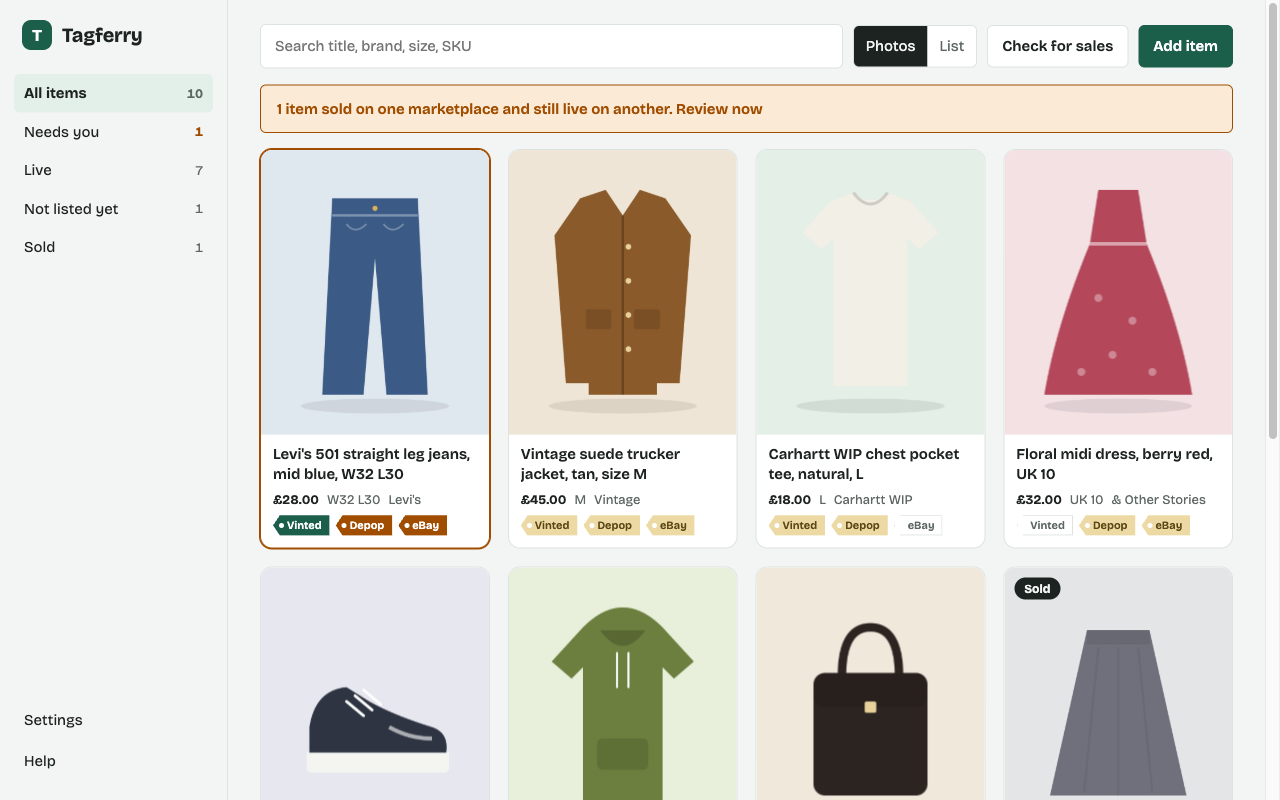
3. Crosslist an item
- Open the item and press List on Vinted, List on Depop or List on eBay.
- A new tab opens on that marketplace's sell page. If you are signed out, sign in and press Continue to the form.
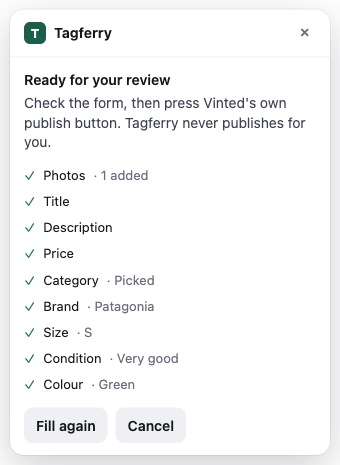
- Tagferry adds photos, title, description and price, then asks you to pick a category.
- Once you pick one, it fills brand, size, condition and colour. Anything marked “!” in the checklist needs you.
- On eBay, a few questions come before the form: Tagferry enters the title in eBay's search, you pick the category (or Continue without match), and Tagferry picks the condition. Press Continue each time.
- Check the form and press the marketplace's publish button. When the new listing page loads, Tagferry marks the item live there.
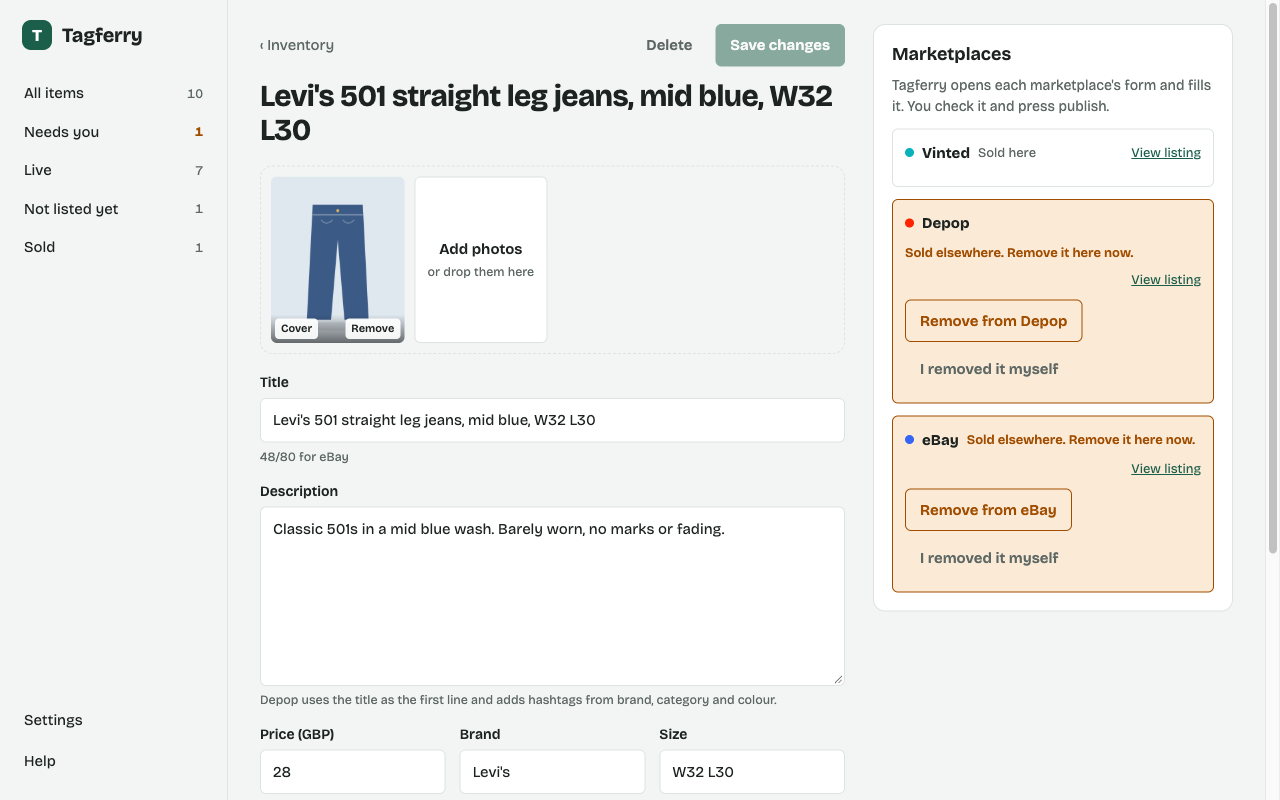
4. When something sells
Tagferry checks items that are live on two or more marketplaces every 10 minutes while Chrome is open. When one sells, a notification appears: press Delist everywhere now and Tagferry opens each other listing and removes it. If a marketplace's page has changed and it cannot, it tells you, and you remove it by hand and pressI've removed it.
You can also press Mark sold here on any live listing, or Check for sales in the inventory.
5. Settings worth a look
- Prices per marketplace: add a percentage per site, for example 10% on eBay to cover fees.
- Sale alerts: how often to check, from every 5 minutes.
- Your data: download a backup, restore one on another computer, or delete everything. Removing Tagferry from Chrome deletes the inventory too, so download a backup first.
6. Free plan and Pro
Tagferry is free for up to 25 items listed on more than one marketplace at a time. Pro removes the limit for £7.99 a month or £59 a year. Listing on one marketplace, sale alerts and removing sold items are never limited. Pro is bought in Settings → Your plan; payment is handled by ExtensionPay and Stripe. To use Pro on another computer, press Already paid? Restore Pro there and sign in with the email you paid with.
More background: Vinted crosslister, Vinted to eBay,Vinted and Depop, and how Tagferry handles your data.
Questions people ask
Why did Tagferry leave a field for me?
Some fields depend on choices only you can make, like the category, or use pickers that change often. Tagferry fills what it can, marks the rest with “!”, and you finish them by hand before publishing.
The “Save to Tagferry” button does not appear
It only appears on your own listings, after the page finishes loading. Make sure you are signed in to the marketplace and viewing your own item, then reload the page.
I closed the tab before publishing
Nothing was posted, because only you can press publish. Open the item in Tagferry and press “Resume listing” to start the form again.
Do sale alerts work when Chrome is closed?
No. Tagferry checks for sales only while Chrome is running. When you reopen it, the next check runs within a few minutes.